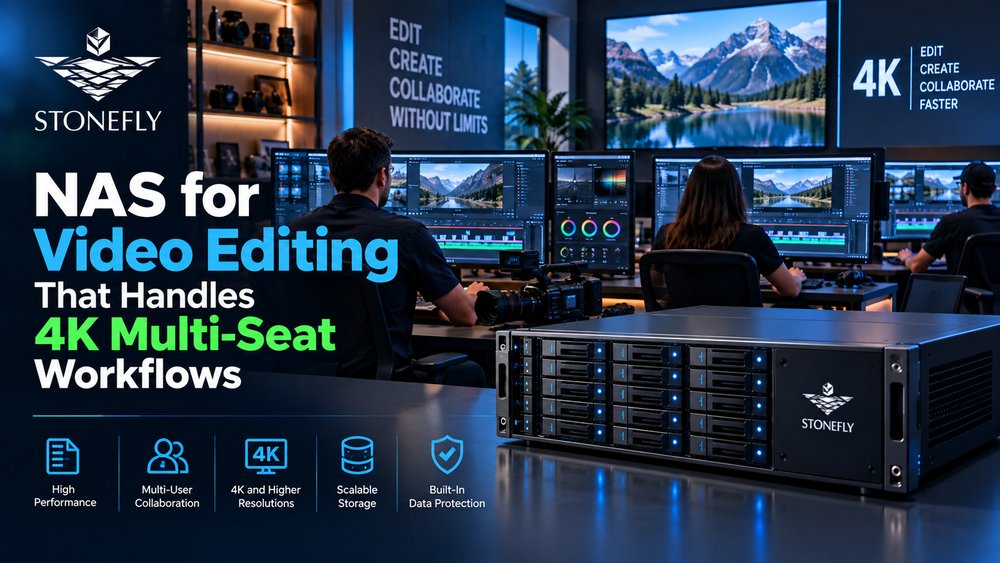
A finished 4K feature or broadcast package never comes from one machine. It comes from a room of editors, colorists, and assistants all pulling on the same project files at the same time — and the storage underneath either keeps up or it becomes the reason a delivery slips. For teams that move past a single edit bay, the first bottleneck is not the CPU or the GPU. It is the network storage. The desktop NAS that served two editors quietly chokes when five are writing proxies while another renders, and NAS for video editing stops being a convenience and becomes a production risk.
That is why choosing the right NAS for video editing in a professional environment is an infrastructure decision, not a peripheral. Post-production is a shared, high-bandwidth, many-seat workflow: large media files, sequential reads and writes mixed with random access, and multiple clients working the same volume simultaneously. When it works, editors never think about the storage. When it does not, every render, every import, and every timeline scrub pays for it.
This blog covers what to evaluate in network storage for video editing and post-production — the protocols, the throughput you actually need for multi-seat 4K, how scale-out architecture grows with the team, when unified storage earns its place, and how to protect the finished master. The goal is enterprise video storage your editors can trust, not a bigger shared drive.
Why a Desktop NAS for Video Editing Runs Out of Headroom
A single NLE needs a lot of bandwidth, but a team needs exponentially more. Three editors cutting 4K ProRes or XAVC streams, a colorist grading, an assistant ingesting raw footage, and a render node exporting simultaneously is a normal afternoon in post. Each seat demands sustained throughput, and shared editing means those demands hit the same volume at the same time.
Desktop-class NAS units are built around one or two drives and a consumer network stack. They can serve a single user or two comfortably. Under load from several concurrent writers, they saturate the link, queue behind the disks, and the timeline stutters. The problem is not a bad product — it is scope. A device sized for a home studio is not sized for a team that depends on it for a deadline.
What changes in an enterprise setting is the architecture. Shared storage is now the system of record for the edit, so it must deliver consistent throughput across many clients, tolerate simultaneous writes without catastrophic slowdown, and keep growing as the team and the footage do. This is the line where an off-the-shelf unit becomes enterprise NAS storage: the expectation is not that it works for one editor, but that it reliably serves every seat that depends on the deadline.
The Storage Protocols for Video Editing: SMB, NFS, and Block
The protocol is the language between the workstation and the storage, and it decides which tools can work. For a Windows- and macOS-heavy post-production workgroup, SMB/CIFS is the natural fit — the editors mount a shared volume and work as if it is local. NLEs, asset managers, and most creative tools speak SMB without complaint.
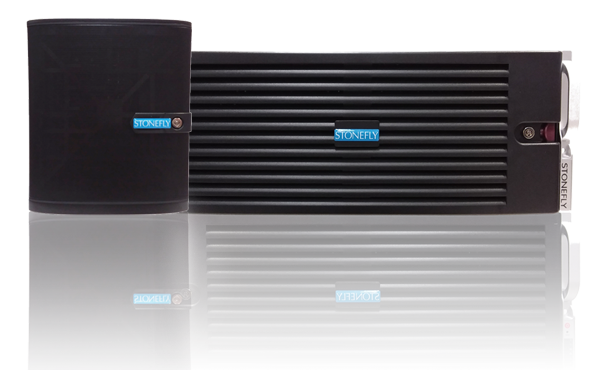
For Linux-based tools, render farms, and certain VFX pipelines, NFS (versions 3 and 4) is the standard option. Some production stacks favor NFS for its performance characteristics under heavy file I/O. StoneFly Super Scale Out (SSO) NAS supports both NFS and SMB/CIFS file services, so the storage does not force the team’s software to change.
There is also block storage — iSCSI and Fibre Channel — for workloads that want a block device rather than a file share. Databases, some editing caches, and tools that prefer direct-attached-style performance can use a SAN. The StoneFly USO unified platform serves block over iSCSI and Fibre Channel, file over NFS and SMB, and object via an AWS-compatible S3 API in one system. For enterprise video content management, that means the post house picks the access method per workload instead of being locked into a single protocol.
The practical rule: the storage should speak the protocols the team already uses, and ideally more than one, so a growing set of tools never hits a language barrier. A broadcast video storage system that serves file shares today and object storage tomorrow is more valuable than one that locks the team into a single access method.
Bandwidth and Multi-Stream Throughput in Storage for Post Production
Bandwidth for video editing is not a single number — it is a budget across all the seats sharing the volume at once. A single 4K ProRes stream might need a few hundred megabits per second, but a room of editors plus ingest plus a render node multiplies that. The storage must sustain the aggregate, not just one stream in isolation.
The two features that keep a NAS feeling responsive under that load are flash caching and storage tiering. Flash caching keeps the hot working set — the proxy clips and recently touched project files — on fast media, so scrubbing and editing do not stall waiting on rotating disks. Storage tiering moves infrequently used data to lower-cost tiers automatically, so capacity does not come at the cost of performance on the files editors touch daily.
StoneFly SSO NAS supports flash caching and storage tiering as part of the platform, alongside deduplication with selectable block sizes (4K, 8K, 32K, and 64K) and compression. That combination means the steady 4K multi-stream workload is handled by the fast tier, while the less hot archive and older media sit efficiently on higher-capacity storage. Throughput varies by configuration and workload — there is no single performance figure for every all-flash or hybrid build — which is exactly why sizing is a conversation about the edit workflow rather than a spec sheet promise. This is what storage for post production is really about: matching the fast tier to the files the editors touch, and the capacity tier to the library they accumulate.
Scalable NAS for Video Editing: Enterprise Storage That Grows With the Team
The deeper a project goes, the more the team needs the storage to grow without a forklift upgrade. Scale-out architecture answers that by adding storage appliances to a cluster rather than replacing the whole system.
StoneFly SSO NAS supports several deployment shapes. A single-node system serves a smaller team or a specialized role. A dual-node deployment adds resilience for teams that cannot afford downtime in the middle of a project. The Scale Out architecture begins at three nodes and is documented up to 128 nodes, adding capacity and clients through one management plane. Scale-up — adding media or expansion shelves to an existing node — handles capacity growth inside a single system, while Scale Out adds appliances to grow the cluster itself.
For a post house, that distinction matters. A few editors can start on a single-node system that meets today’s workload, then expand into a Scale Out cluster as the roster grows and the footage library compounds. Capacity, and the number of seats it can serve, grows with demand rather than in painful jumps. Enterprise NAS storage, done right, is purchased at the size of today’s team and scaled to the size of tomorrow’s.
There is also the management angle the workflow depends on. A single-namespace cluster means the editors still see one shared volume even as appliances are added behind it — the paths that resolve in the NLE today still resolve after the cluster grows. The production team does not re-point their project files to new locations, and the operators do not stitch together several disconnected shares. Scale-out earns its keep precisely because it grows capacity and clients without fracturing the namespace the whole team relies on. For a busy post house, that continuity is as valuable as the additional throughput itself.
Unified SAN, NAS, and Object for Enterprise Video Storage
Post-production does not only store project files. The same team may need block storage for a database or rendering cache, file storage for the shared edit, and object storage for archives and asset libraries. Maintaining three separate silos multiplies cost and management burden.
StoneFly USO consolidates all three on one physical or virtual system: block over iSCSI and Fibre Channel, file over NFS and SMB/CIFS, and on-premises object storage through an AWS-compatible S3 API. Media workflows are an explicit intended use, alongside shared files, application data, user directories, analytics, backup targets, and archives. A single unified platform can serve the edit, the archive, and the ancillary workloads that surround production — a fitting shape for enterprise video content management that wants one system of record.
This matters because post-production rarely stays neatly inside one file share. The footage is a file share today, an archive object tomorrow, and a backup target the day after. Unified storage keeps those roles on a platform the team already manages, which is how enterprise video storage stays coherent as the project evolves.
The operational benefit is real. Instead of separate teams babysitting a NAS, a SAN appliance, and an object store with different tools and procedures, one platform carries the file volume, the block workloads, and the object archive. Access can then be paired to the job: an editor reaches the share over SMB, a render farm mounts over NFS, a backup job targets the block LUN, and the archive lives on the S3-compatible object tier. For a broadcast or post facility that runs several adjacent workloads, collapsing three silos into one managed system cuts both capital and the day-to-day effort of keeping them consistent.
How StoneFly SSO NAS Delivers Network Storage for Video Editing
The storage that works for post-production is the storage that fits the workflow, not the biggest drive in the catalog. StoneFly SSO NAS is built around that idea: a network storage family that serves file workloads over NFS and SMB/CIFS, scales from a single appliance to a 128-node Scale Out cluster, and brings the optimization and protection layers a media archive cannot be without.
For the editors, SSO NAS delivers shared file access with flash caching and tiering so the hot timeline stays fast. For the operator, deduplication, compression, and thin provisioning keep capacity efficient as the library grows. For the archive, file-level WORM and the patented Air-Gapped Vault® protect finished masters against deletion, tampering, and ransomware — because in post-production, the master is the deliverable, and losing it is not an option. The same StoneFusion foundation that powers SSO NAS carries the unified SAN, NAS, and object roles in USO, so a team that starts on NAS can add block and object access on the same ecosystem. And where cloud workflows come into play, video cloud storage built on the same platform extends capacity without abandoning on-premises control.
The result is network storage for video editing that is sized to the project, scaled to the team, and protected as insurance on the work itself. For a workflow assessment built around how your editors actually work, contact StoneFly to scope a NAS for video editing fit to your studio.
Conclusion: Right-Size Network Storage for the Edit Bay, Not Just the Files
NAS for video editing in a professional studio is an infrastructure decision. The storage must sustain the simultaneous demand of many editors on shared 4K media, speak the protocols the tools use, scale with a growing team, and protect the finished work as an asset. Enterprise architecture — flash cache and tiering for throughput, scale-out growth, and unified block-file-object access, with immutability and air-gapping on the archive — is what turns shared storage from a bottleneck into the silent backbone of the edit.
Test the storage the way the editors actually work, not with a synthetic configuration. Build it to the peak load of a busy day, grow it with the team, and protect the masters as carefully as the footage deserves. When the storage is right, the room forgets it is there — and the deadline is met because the workflow was never the problem.