
A backup job that reports success has not shown that the data can be restored. A backup that cannot be restored is expensive, and the team usually learns this at the worst possible moment.
The records that backup software, storage and hosts produce tend to show trouble well before a restore exposes it. Log analysis is the process of examining those records to find errors, anomalies and trends that explain what happened and what is likely to go wrong next. NIST SP 800-92 seeks to help organizations understand the need for sound log management, with practical guidance on developing, implementing and maintaining it (NIST SP 800-92).
This article covers which backup-log signals deserve attention and what AI log analysis adds beyond keyword searches and alert rules. It also explains why some teams run it on-premises and how to turn findings into administrator action and restore tests.
A job status is a summary. A job can finish with warnings, skip items, retry a failed read or write only part of a secondary copy. It can still show a green “success” on the dashboard. The detail that explains the gap sits in the logs.
Most teams do not read those logs, and the reasons are practical. The volume is large, the records are scattered across backup servers, storage targets and hosts, and nobody has a baseline for what a normal night looks like. He and colleagues, in a survey of automated log analysis, make the same point about software: as systems grow, the volume of logs increases rapidly. A person cannot read that output. The warnings that matter get ignored until they repeat enough to become an incident.
Recovery point objective (RPO) and recovery time objective (RTO) targets are already under pressure when an administrator finds the restore point incomplete. The copy may never have reached the second site. At that point, the log line that explained the problem is weeks old.
Backups complete but restores fail when the success status hides conditions that damage recoverability. Warnings, skipped items, failed copy jobs and gradual drift in job behavior leave evidence in the logs without changing the headline status. Only a restore test proves that data can be recovered, and log evidence tells you where to look first.
The cost of getting this wrong can be large. In the Sophos survey of 2,974 ransomware victims, a study published in 2024 that I could not match against a newer edition, organizations whose backups were compromised reported a median recovery cost of $3 million, against $375,000 for those whose backups held. The survey measures ransomware outcomes, not routine restore failures, but the lesson carries over.
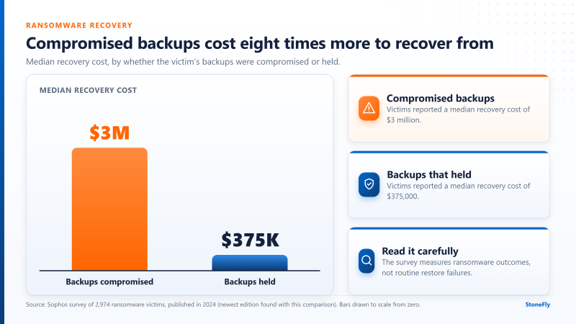
Source: Sophos survey of 2,974 ransomware victims, published in 2024. The survey measures ransomware outcomes, not routine restore failures.
Backup log analysis works best when it looks for specific patterns instead of reading everything. Six signals deserve a standing place in any review. None of them proves a backup is broken, and each one is a reason to investigate.
A single warning is noise. The same warning on the same job or repository across several nights is a condition that has not been resolved. Repeated retries, recurring skipped files and persistent access errors belong in this group. The count matters more than the severity label.
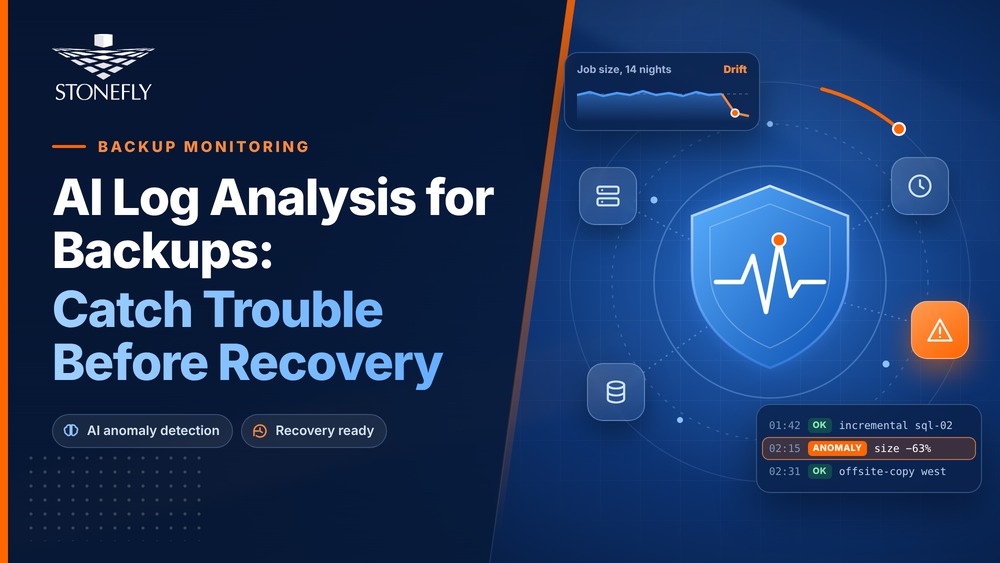
Backup size and runtime shift as data changes. A job that grows by a little each week eventually collides with its window, overlaps the next job or starves another workload of bandwidth. A sudden drop in size is equally important, because it can mean the job stopped seeing data it used to protect.
Schedules create a rhythm, and logs record it. A job that starts late, finishes early or runs at an unexpected hour has changed in some way. The cause may be harmless, but a break from the usual pattern costs almost nothing to check and can be an early sign that something upstream has changed.
Many designs depend on a second copy at another site or on another medium. When that copy job fails, the primary job still reads as healthy, and the protection you believe you have no longer exists. This is one way a dashboard and reality can diverge, and it deserves its own alert path.
One job with a new warning is a ticket. Fifty jobs that gained the same warning in the same week point to a shared cause. It might be a credential change, a network path or a strained storage target. Trends across systems and periods only become visible when logs are consolidated.
Attackers go after backups, and the logs around backup systems show it. The same 2024 Sophos survey, the most recent Sophos edition that publishes these backup figures, found that 94 percent of ransomware victims reported attempts to compromise their backups, and 57 percent of those attempts succeeded. Unfamiliar accounts, odd access times and deviations from historical behavior around backup repositories belong in the same review as job health. CISA’s ransomware response guide also stresses that organizations should regularly test the availability and integrity of backups in a disaster recovery scenario.
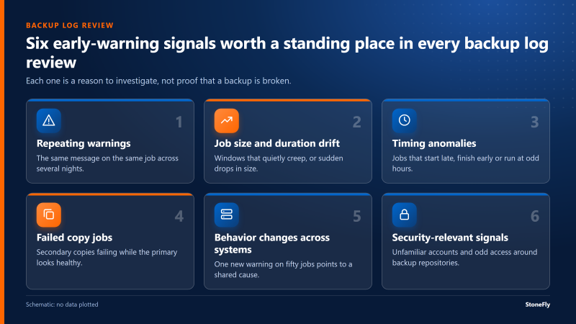
Six early-warning signals worth a standing place in every backup log review
Static rules and keyword searches catch strings someone already knew to look for. They are weak at drift, at combinations of minor events and at conditions nobody anticipated. That gap is where AI log analysis earns its place.
Self-learning approaches work differently. Landauer and colleagues, in a survey of deep learning for log anomaly detection, describe techniques that capture patterns in log data and report unexpected log events, with no predefined list of anomalous scenarios. In practice, that means a model can learn what a normal night looks like for each job, site and period, then flag deviations from that baseline.
The Cloud Security Alliance describes the same direction for security teams. In its paper on analyzing log data with AI models, it notes that AI and machine learning can automate log analysis for anomaly detection, event correlation and predictive analytics. It also addresses alert fatigue and the sheer scale of log volumes.
These capabilities matter for backup work:
Parallel processing helps with large volumes, though throughput depends on configuration, data structure and workload, so treat any speed claim without a stated setup with caution.
The method has limits. Chen and colleagues’ experience report on log-based anomaly detection evaluated six methods on two public datasets holding roughly 16 million log messages and 400,000 anomaly instances. Benchmark results on public data do not transfer automatically to your environment. Models need data preparation and validation. A person still reviews what they surface. AI log analysis identifies conditions that warrant investigation. It does not prove that a backup is restorable.
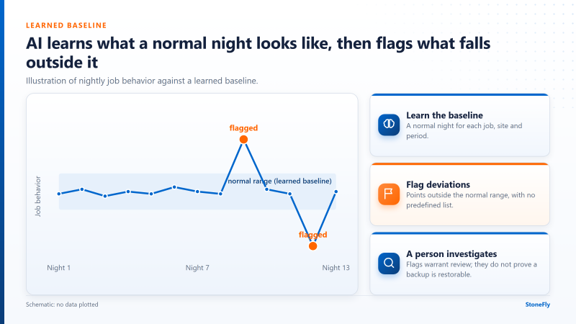
Illustration of a learned baseline for nightly job behavior, with deviations flagged
Backup and security logs describe your infrastructure. They reveal host names, schedules, accounts, repository locations and, at times, weaknesses. Many organizations restrict where such data may go. That limit shapes how they approach log analysis with AI.
Data-residency rules and privacy preferences push the same way. Keeping log data and processing local gives an organization direct control over who can access it. The Cloud Security Alliance paper on AI log analysis points to the same concern. It presents federated learning as a way to build models while log data stays on local servers and only model updates are shared.
Local processing also removes a dependency. Analysis continues when an internet link or a cloud-hosted AI service is unavailable, and dedicated hardware gives predictable access to processing capacity. NIST frames log management as a lifecycle. It covers generating, transmitting, storing, accessing and disposing of log data (NIST SP 800-92 Rev. 1 draft). Each of those steps raises a question about where the data sits.
There is a tradeoff. On-premises means the organization owns capacity planning, patching and access control for the analysis platform. It reduces exposure to external processing environments, and it does not eliminate every security risk.
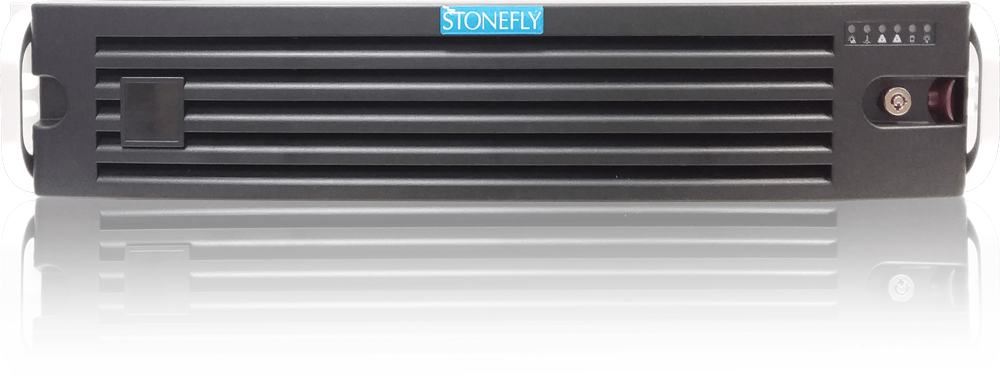
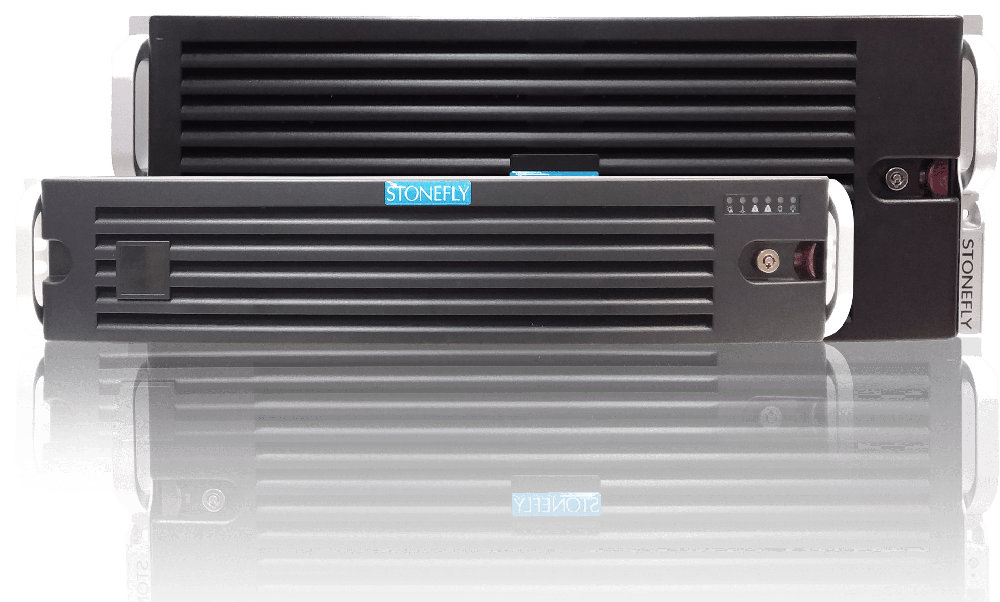
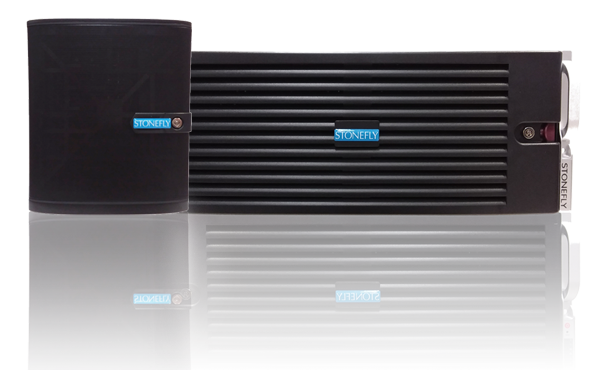
The problem has three parts. Logs are too large to read, evidence is scattered across systems, and the data is sensitive enough to argue for local processing. StoneFly AI LogPro X1 addresses those parts. It is a turnkey, on-premises, data-centric AI log analysis appliance with dedicated NVIDIA GPU resources, customizable AI modules and locally controlled storage. After this introduction, this article calls it AI LogPro X1.
For backup logs, it analyzes job behavior, failures and warnings represented in the logs, unusual backup patterns, repeated operational issues and trends across backup activity. Consolidated backup logs can show repeated failures, warning patterns, changes in job behavior and timing anomalies across systems or periods. The output highlights conditions that require administrator investigation. For security logs, it supports security log analysis, which includes anomaly identification, correlation of related events and recognition of deviations from historical behavior.
The workflow is short. StoneFly SourceConnect links AI LogPro X1 to more than 300 data sources, and connector availability depends on the source system. Logs synchronize into the appliance, and near-real-time synchronization can be configured for supported sources. Data is consolidated locally, transformed and modeled, then analyzed by AI modules in parallel on NVIDIA GPUs.
Organizations can also train the modules on their own data and label known conditions or event types. That customization does not remove the need for data preparation, validation or human review. Local NVMe and SAS storage holds the ingested logs and training data. The appliance is available in 2U form with up to four NVIDIA L40S GPUs and in 4U or 5U form with up to ten. An 8U multi-node system scales to an aggregate of up to 20 across the complete system.
One boundary matters. AI LogPro X1 analyzes the logs that backup systems produce. It does not perform backup or disaster recovery, and it does not replace restore testing.
A finding only helps once someone acts on it. Whether your team uses an appliance, a SIEM (security information and event management) platform or scripts, the same loop applies:
Do not skip step three. The CISA ransomware guide tells organizations to test backup procedures regularly. NIST guidance on cybersecurity event recovery stresses that identifying and prioritizing resources helps guide effective plans and realistic test scenarios (NIST SP 800-184). Logs tell you which workloads to test first.
The record you keep also serves a second purpose. Dated findings, causes and fixes show an auditor or a board that backup health is monitored and acted upon. This is evidence of practice, and it is not a compliance guarantee. For related reading on protecting the data once it is healthy, see immutable file-level storage setup and object lock for backup data.
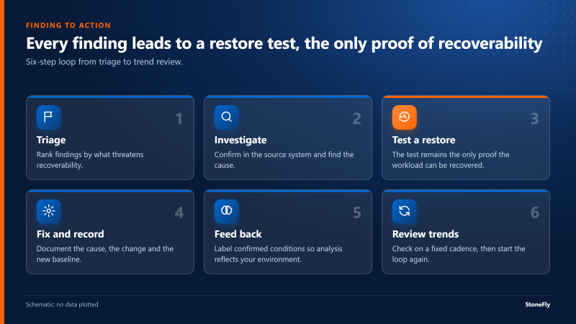
Six-step loop from triage to trend review, with the restore test as step three
The evidence of a failing recovery usually sits in the backup logs long before a restore is attempted. Repeating warnings, drifting job size and duration, timing changes and failed copy jobs are visible to anyone who looks at them at scale. AI-assisted log analysis makes that scale practical by learning baselines and surfacing deviations, and it keeps humans in charge of judgment. Restore tests then confirm what the logs suggest.
Start small. Pull one week of backup logs, list the warnings that repeat, and test a restore for the workloads they touch. If you want to see how on-premises AI log analysis fits your environment, talk with StoneFly. For the protection side of the same problem, read about a backup and DR appliance with threat detection. It is a separate product and not part of AI LogPro X1.





Join our mailing list to receive the latest news, updates, and promotions from StoneFly.