Track health and capacity
Review health, capacity, and related operational information across connected systems and sites.

IMS365
Single pane of glass for multi-site and hybrid infrastructure management and security across Proxmox, VMware, and Hyper-V hypervisors, VMs, Windows/Linux servers, and storage. Optional BKD365 brings Veeam and Rubrik backup environments into the same view. Optional InfraAI365 delivers agentic AI remediation, SOAR/SIEM playbook orchestration, and human approval gates.
The enterprise challenge
Enterprise teams need visibility across sites and a way to move from a threat signal to a controlled action. Infrastructure, backup, security, and approval workflows often sit with different teams and tools.
What slows enterprise teams
Teams move between consoles to connect host, VM, server, storage, and threat context.
Veeam and Rubrik activity is reviewed separately from the systems it protects.
Security, virtualization, storage, and backup teams hand off investigations and remediation steps.
Containment and recovery actions can affect production, so approvals and traceable results matter.
How IMS365 closes the gap
Review health, capacity, and threat signals across connected sites.
BKD365 adds Veeam and Rubrik monitoring; Enterprise adds supported remediation through InfraAI365.
InfraAI365 connects investigation and supported storage, hypervisor, backup, SOAR, and SIEM workflows.
Policy routes dangerous actions for approval and records what was attempted and returned.
IMS365 overview
IMS365 Essentials
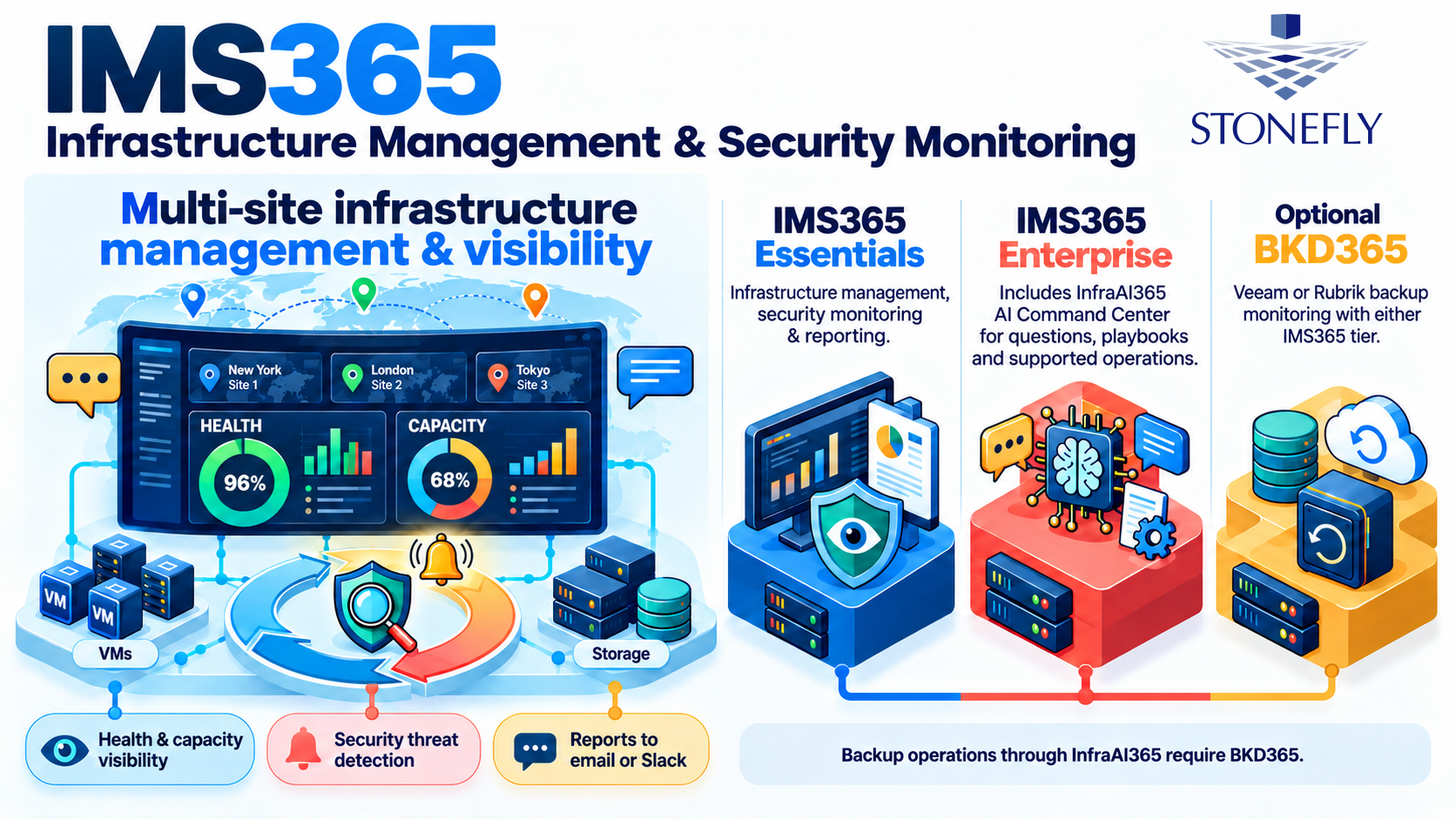
Essentials combines management visibility, security monitoring, and reporting across connected infrastructure. It does not require InfraAI365.
Review health, capacity, and related operational information across connected systems and sites.
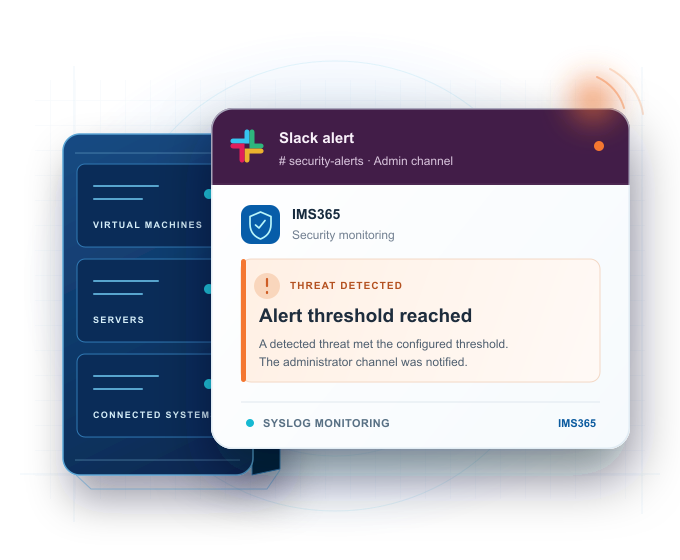
Agents provide security visibility across virtual machines, servers, and storage. Syslog monitoring identifies threats.
Generate reports on demand or schedule delivery to email, Slack, or a Telegram channel.
What Essentials includes: Infrastructure management, security monitoring, and reporting. InfraAI365 is included with Enterprise; BKD365 backup monitoring can be added to either IMS365 license.
IMS365 configurations
BKD365 connects supported Veeam or Rubrik backup environments to either IMS365 tier. Enterprise includes InfraAI365, the AI Command Center for questions, remediation playbooks, and supported actions through configured connections.
Backup engine for Veeam and Rubrik environments
Bring backup job monitoring, security visibility, and reporting into IMS365. Essentials uses BKD365 for monitoring and reporting. With Enterprise, InfraAI365 can also carry out supported actions exposed by the configured backup connection.
AI Command Center for guided and policy-controlled operations
Ask questions about connected systems, generate remediation playbooks, and carry out supported storage, hypervisor, backup, and response actions. An action policy determines which steps execute directly, require approval, or stay manual.
InfraAI365 · Storage-level operations
Storage health, capacity, and operational controls span sites and teams. Switching consoles slows day-to-day administration and makes volume preservation or access changes harder to coordinate during an incident.
InfraAI365 brings supported storage-level operations into Natural Language Processing (NLP) commands and response playbooks, with human approval for consequential changes.
Storage response capabilities
Coordinate a storage-volume snapshot before a high-impact action where the connected storage system supports it.
Restrict storage access through a supported, permissioned connection when the response policy and an administrator authorize the change.
Record what the storage system reports and flag incomplete steps for administrator review.
InfraAI365 · Hypervisor-level operations
Virtualization teams operate workloads across sites while security teams need timely VM action during incidents. Separate handoffs delay preservation, isolation, and confirmation of what changed.
InfraAI365 connects supported hypervisor operations across Proxmox, VMware, and Hyper-V to natural-language commands and playbooks, while approval gates keep dangerous actions under administrator control.
Hypervisor response capabilities
Coordinate a VM snapshot before a high-impact response where supported. This is separate from a forensic backup.
Use supported VM suspension, isolation, or restricted network placement to limit exposure while retaining security telemetry where available.
Check the reported action result and prompt an administrator to authorize removal of isolation.
InfraAI365 response policy
An Enterprise remediation playbook can combine several kinds of steps. The configured action policy determines what can run directly, what needs explicit approval, and what an administrator completes manually.
Supported routine operations can run when the configured policy permits them. With BKD365 connected, retrying a failed Veeam or Rubrik backup job is one example.
Consequential defensive actions wait for a named administrator's approval. An unanswered request escalates through a configured channel or stops safely; expiry never approves it.
Playbooks can assign steps to administrators when direct execution is unavailable or unsuitable. The response record shows what was proposed and what happened.
Review the actions, target systems, and approval gates a playbook would use before enabling live execution.
Action records include attempted steps and connected-system results. Approval requests record the approver's identity, source IP address, and time.
Connected Enterprise response
InfraAI365 uses supported, permissioned connections. Available actions depend on the configured backup, hypervisor, storage, agent, SOAR, and SIEM systems.
With BKD365 connected, InfraAI365 can perform supported Veeam and Rubrik remediation, including failed-job retries and selected stuck-snapshot or temporary-file actions. Policy determines which steps run directly and which need approval.
Coordinate supported playbooks through configured SOAR and SIEM integrations, alongside the infrastructure and backup actions in the response. Approval gates and action records keep execution traceable.
With approval and supported connections, coordinate VM isolation or suspension, network or storage restrictions, and service controls. Before a high-impact action, supported VM and storage snapshots can preserve a pre-action state. A forensic backup is a separate playbook action.
Query connected systems for reported action results and remaining threat signals. Incomplete steps are flagged for review, and an administrator assesses the result before authorizing release from isolation.
Enterprise response workflow
InfraAI365 connects investigation, policy-controlled execution, and administrator review. The workflow adapts to the incident, available connections, and configured approval policy.
Agent or syslog monitoring presents a threat signal with available infrastructure context.
InfraAI365 answers questions and builds a playbook with direct, approval-gated, and manual steps.
With BKD365, a system playbook can initiate a forensic backup when conditions call for it. Supported VM and storage snapshots can precede high-impact action.
Run permitted steps, obtain approval for dangerous changes, or orchestrate supported SOAR and SIEM playbooks.
Record connected-system results, check for remaining signals, and flag incomplete steps.
An administrator assesses the result and authorizes removal of any isolation.
Response remains scoped. Available actions depend on the connected system, its permissions, and supported APIs. A result check does not guarantee that every threat has been removed.
Product specifications
The license tier and configured connections determine which monitoring and response functions are available.
| Capability | IMS365 Essentials | IMS365 Enterprise | BKD365 add-on |
|---|---|---|---|
| Infrastructure and security | Host and VM inventory; health and capacity visibility; agent and syslog threat monitoring; on-demand or scheduled reports delivered to email, Slack, or Telegram | All Essentials capabilities | Adds monitoring, security visibility, and reporting for connected Veeam or Rubrik backup environments |
| AI and response | Administrators investigate and remediate manually | InfraAI365 questions, remediation playbooks, policy-controlled execution, approvals, response preview, and result checks | Provides the backup connection used for supported InfraAI365 backup actions with Enterprise |
| Connected actions | Monitoring and reporting only | Supported backup, storage, hypervisor, and agent actions; SOAR and SIEM playbook orchestration through configured integrations | Supported Veeam and Rubrik actions depend on the configured connection and its permissions |
| Licensing | Each registered Hypervisor Host is licensed individually; VMs are licensed separately in packs of five | Same host and VM licensing as Essentials, plus an InfraAI365 feature charge for each host and each VM | Requires Essentials or Enterprise; charged per Veeam or Rubrik backup instance across sites |
Action availability varies. Execution depends on the connected system, supported APIs, permissions, and approval policy. InfraAI365 is included with Enterprise and is not a separate license.
Discuss your environment
Bring your connected sites, host and VM counts, storage systems, and any Veeam or Rubrik backup instances. StoneFly can review the right IMS365 tier, BKD365 coverage, supported actions, and approval policy for your environment.