
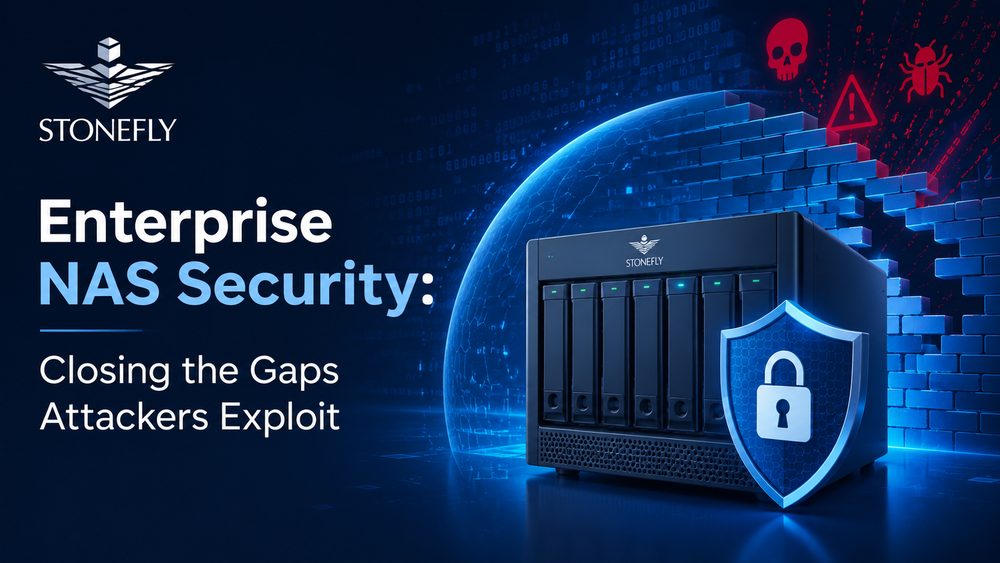
Ask an IT director how confident they are in their backup strategy, and most will say very confident. Ask the same question about NAS shares specifically, and the confidence drops fast. IBM’s 2025 Cost of a Data Breach Report puts the global average cost of a breach at $4.44 million, and Sophos’s 2025 State of Ransomware report found that data recovery through backups hit its lowest rate in six years. Enterprise NAS security is no longer a side conversation attached to backup policy. It is the front line, because attackers increasingly go after the storage layer first, before they ever trigger encryption.
The reason is structural. A single NAS array typically holds production file shares, virtual machine images, and backup repositories side by side, often on the same flat network segment reachable by the same set of credentials. When ransomware operators compromise one account, they don’t need to search far to find everything worth encrypting. Sophos found that only 49% of organizations recovered their data through backups alone in 2025, the lowest figure the survey has recorded, largely because attackers now specifically hunt for and disable backup infrastructure before triggering encryption. For enterprise IT teams, that shifts NAS security from a compliance checkbox to an architectural decision with direct financial consequences.
This article covers the access control, encryption, immutability, and monitoring practices that keep enterprise NAS environments defensible against that pattern of attack, along with where a purpose-built backup and recovery appliance changes the economics of an incident.
Once an attacker has a foothold inside the network, NAS shares are usually one of the first places they look, because that is where the volume of valuable data lives. Financial records, engineering files, and customer databases accumulate on shared storage over years, frequently without anyone auditing who still has access to them. A share created for a single project in 2021 often outlives the project, the team, and sometimes the employees who set it up, and every one of those forgotten shares is a door nobody remembers to lock.
Backup repositories hosted on the same NAS platform as production shares are a particular liability. If a backup repository or a snapshot share sits on the same array, reachable with the same credentials as everything else, the network segment that was supposed to be the recovery path becomes another encryption target. Sophos’s 2025 findings on declining backup-recovery success rates line up with what incident responders have reported for several years: attackers spend the early part of an intrusion mapping backup infrastructure specifically, because destroying it removes the victim’s leverage to refuse payment.
Most organizations know SMB1 should have been retired years ago, and many have technically decommissioned it on paper. In practice, audits routinely turn up shares still serving SMB1 traffic, or NFS exports authenticated by nothing more than a client-supplied UID, kept alive because a legacy application or an old backup job depends on it. Every one of those exceptions is a documented, well-understood attack path that a competent adversary will find faster than most internal audits do.
Timing works against defenders here more than most teams realize. Mandiant’s M-Trends 2025 report puts the global median dwell time, the gap between initial compromise and detection, at 11 days overall, but only 5 days in cases where the adversary itself tipped off the victim, which is typically how ransomware incidents surface. That narrow window is exactly why storage-layer controls that don’t depend on catching the intrusion in progress, like immutability and segmentation, matter as much as detection tooling. By the time a security team notices unusual activity, an attacker who targeted NAS shares directly may already have mapped every share on the array.
Role-based access control has to be the starting point, not an afterthought bolted on after a share sprawls out of control. Every share should map to a specific job function rather than a broad group like “all employees,” administrative accounts should require multi-factor authentication without exception, and default credentials on the management console need to be changed before the appliance ever touches a production VLAN. None of this is exotic advice, but it is the layer most often skipped under deployment time pressure.
Access reviews are where role-based control either holds up or quietly decays. A permission model that was correct at deployment drifts within months as employees change teams, contractors roll off projects, and nobody circles back to revoke the access that was granted for a task that finished a year ago. Pairing role-based access with a scheduled review cycle, and requiring multi-factor authentication specifically on any account with administrative rights over the storage platform, closes the gap between the access model on paper and the access model attackers actually find.
Segmentation limits how far an attacker can move once they are inside. Placing storage traffic on its own VLAN, restricting the management interface to a dedicated jump host, and disabling any protocol the environment doesn’t actually use narrows the paths available after an initial compromise. Enterprises evaluating a refresh often build this requirement into the RFP directly, looking for enterprise NAS storage platforms where segmentation and access control are handled at the platform level instead of layered on with third-party tools after deployment.
Tying the storage platform’s access control into the organization’s existing identity provider, whether that’s Active Directory, LDAP, or a cloud-based single sign-on service, matters just as much as the network topology around it. When account provisioning and deprovisioning happen automatically as part of the HR and IT offboarding workflow, a departing employee’s storage access closes the same day their badge does, instead of lingering for weeks because a separate NAS-local account was never tied to the central directory in the first place.
Data should be encrypted both at rest and in transit, with the encryption keys managed separately from the storage system itself, so that compromising the NAS controller doesn’t automatically hand over the key material needed to read the data it protects. In-transit encryption means enforcing SMB signing and encryption on Windows-facing shares, and standardizing on Kerberos authentication with NFSv4 rather than continuing to run older, effectively unauthenticated NFS exports.
Protocol choice is where a lot of otherwise well-designed security programs quietly fall apart, because retiring a legacy protocol always seems riskier in the short term than leaving it alone. The table below summarizes the practical risk of the protocol versions still commonly found in enterprise NAS environments, and the action each one calls for.
| Protocol / Version | Common Risk | Recommended Action |
| SMB1 | No encryption, well-documented exploit history (EternalBlue and related CVEs) | Disable entirely, no exceptions |
| SMB2 (unsigned) | Vulnerable to relay and tampering attacks against unsigned traffic | Enforce SMB signing across all shares |
| SMB3 | Secure when signing and encryption are both enabled | Enable encryption in transit, require MFA for admin access |
| NFSv3 (unauthenticated) | Trusts a client-supplied UID and GID with no real authentication | Restrict to trusted subnets and plan a migration |
| NFSv4 with Kerberos | Secure when properly configured with Kerberos authentication | Standardize as the default for new deployments |
Firmware and management-console patching belongs in the same conversation as protocol hardening. Vendors regularly ship fixes for authentication bypasses and privilege-escalation bugs in NAS controller software, and those patches do no good sitting unapplied in a change-management queue for months while the appliance stays exposed.
Access controls and encryption reduce the odds of a successful attack, but a mature architecture assumes one will eventually get through anyway. Immutable snapshots are the single most effective control at that point: once a snapshot is written, it cannot be altered or deleted, even by an account holding full administrative credentials, for a defined retention window. That property directly defeats the encrypt-and-delete pattern that most ransomware families rely on.
Retention policy matters as much as the immutability feature itself. A short retention window still leaves a gap during which an attacker who has been sitting quietly inside the network for weeks can simply wait out the immutable period and strike once clean snapshots roll off. Aligning snapshot retention with realistic dwell-time estimates, rather than the shortest option that satisfies a compliance checkbox, is what actually closes that gap.
Air-gapping adds a second, independent layer by keeping at least one backup copy on storage that isn’t continuously reachable over the network, whether that’s a physically isolated repository or a cloud target enforcing write-once policies. Pairing immutability with air-gapping means that even a fully successful breach of the production environment, including the storage management plane itself, still leaves a clean, unreachable copy to recover from. This overview of NAS Security and this walkthrough of immutable snapshots for NAS both cover the mechanics of setting these controls up correctly, and this breakdown of ransomware-proof NAS appliances goes deeper into how the underlying hardware and firmware reinforce the same principle.
Controls only work if someone is watching for the moment they fail. Enterprise NAS platforms should log every authentication attempt, permission change, and file access pattern, and forward that data to a SIEM or a log aggregator rather than leaving it to sit unreviewed on the appliance itself, where it does nobody any good until well after an incident has already run its course.
Most mid-sized IT teams already run a SIEM or an XDR platform for endpoint and network telemetry, and the value of NAS logging multiplies once it’s correlated against that same timeline rather than reviewed in isolation. A spike in failed authentication attempts against the storage management console, paired with a matching alert from endpoint detection on the same account a few minutes earlier, tells a very different story than either signal does on its own, and cuts the time to a confirmed incident from hours down to minutes.
The earliest reliable signal of a ransomware event isn’t a security alert, it’s an unusual pattern in ordinary file activity: a burst of sequential reads, renames, or overwrites across a share that normally sees light, predictable traffic. Tuning alerting thresholds to the organization’s actual baseline, rather than leaving them at generic vendor defaults, is what turns that signal into an alert someone actually sees in time to act on it.
None of this requires a dedicated security operations center to be effective. A small IT team can catch most storage-layer intrusions early if the platform surfaces the right signals, and if someone owns the recurring task of reviewing access and retiring shares nobody uses anymore. A short, recurring checklist keeps that from slipping:
Most of the controls above can be assembled from separate tools, but every seam between them is a place where configuration drift or a missed patch quietly reopens the gap. StoneFly’s DR365V is built to close that seam by consolidating backup, replication, restore, and storage into a single Veeam Ready appliance, reducing what would otherwise be three separate exposure points down to one that’s purpose-built for the job.
The appliance automates air-gapping directly from the Veeam data platform, so the isolated copy an incident response plan depends on doesn’t rely on someone remembering to execute a manual step under pressure. Its repositories, controllers, and nodes support immutability that prevents modification or deletion for a set retention period, and it layers in machine learning-based detection and real-time file system activity analysis to flag ransomware behavior during the backup process itself, not after the fact. For organizations that have already read through this checklist and recognized more than one open gap, DR365V is a practical way to close several of them inside a single, validated platform rather than stitching the same outcome together from separate products.
Enterprise NAS security comes down to layering controls that assume failure at every point: restrict who can reach the data, encrypt what’s stored and what moves across the wire, make backup copies un-erasable within their retention window, and watch continuously for the signs that something has already gone wrong. None of these steps is exotic or expensive in isolation. What matters is treating them as a connected system rather than a list to revisit once a year, since attackers only need to find one gap while defenders need to close all of them.
The organizations that come through a ransomware incident with their data intact are rarely the ones with the most security tools. They’re the ones whose NAS architecture assumed an attack was coming and planned the recovery path accordingly, well before anyone needed it. Enterprise IT teams weighing a NAS refresh or a new deployment should build these requirements into the evaluation from day one, and reach out to contact StoneFly directly to work through how a specific environment maps onto this checklist.



Join our mailing list to receive the latest news, updates, and promotions from StoneFly.