

Proxmox VE has moved well past its reputation as a homelab hypervisor. Enterprise IT teams running VMware migrations, evaluating alternatives ahead of Broadcom licensing changes, and building new virtualization infrastructure from scratch are taking Proxmox seriously as a production platform. The open-source foundation, Debian-based stability, built-in clustering via Proxmox VE Cluster (pvecm), integrated Ceph storage support, and zero per-socket licensing cost make it a genuinely compelling alternative to vSphere for many workload profiles.
The hardware question is where the decision gets complicated. Proxmox VE runs on commodity x86 hardware, which is both its strength and the source of most deployment problems. Running Proxmox on improperly configured hardware — insufficient RAM for overhead, consumer-grade drives without proper write caching, NICs without SR-IOV support, RAID controllers that bypass the OS scheduler — introduces reliability and performance problems that are difficult to diagnose and that the platform itself cannot compensate for. A Proxmox VE appliance — purpose-built, certified hardware that ships with Proxmox VE pre-installed and pre-validated — eliminates those variables.
This blog covers what to look for in a Proxmox VE appliance for enterprise use, how hardware bundles are structured for single-node versus cluster deployments, how Proxmox compares to VMware at the appliance level, and what the right configuration looks like for immutable backup storage nodes running alongside a Proxmox cluster.
A Proxmox VE appliance is a hardware platform — server, storage, and networking — configured, validated, and shipped by a vendor with Proxmox VE pre-installed and ready to deploy. The distinction from generic server hardware running Proxmox is pre-validation: the vendor has confirmed that the hardware components — CPU, memory, NIC, storage controllers, drives — work correctly together under Proxmox VE’s specific requirements for SR-IOV, IOMMU passthrough, storage performance, and cluster network configuration.
The value of pre-validation is highest in production environments where downtime has business consequences. When a storage controller turns out to be incompatible with Proxmox’s I/O scheduler in a way that causes intermittent disk errors under load, diagnosing that problem in a production environment is expensive in both engineer time and system availability. Pre-validated hardware eliminates an entire category of subtle compatibility problems that only surface under real workload conditions. Enterprise Proxmox appliances also typically ship with enterprise-grade components — ECC RAM, enterprise SAS/NVMe drives, redundant power supplies — that are not necessarily included when building a Proxmox node from individual components.
From a procurement standpoint, a Proxmox VE hardware bundle simplifies purchasing: one SKU, one vendor, one support relationship for hardware and hypervisor integration. For organizations that do not have a dedicated systems engineering team to spec and validate custom configurations, the reduction in procurement overhead justifies the appliance premium over equivalent DIY hardware. For organizations evaluating Proxmox as a VMware replacement in a production environment, starting with certified hardware reduces deployment risk during what is already a significant infrastructure transition.
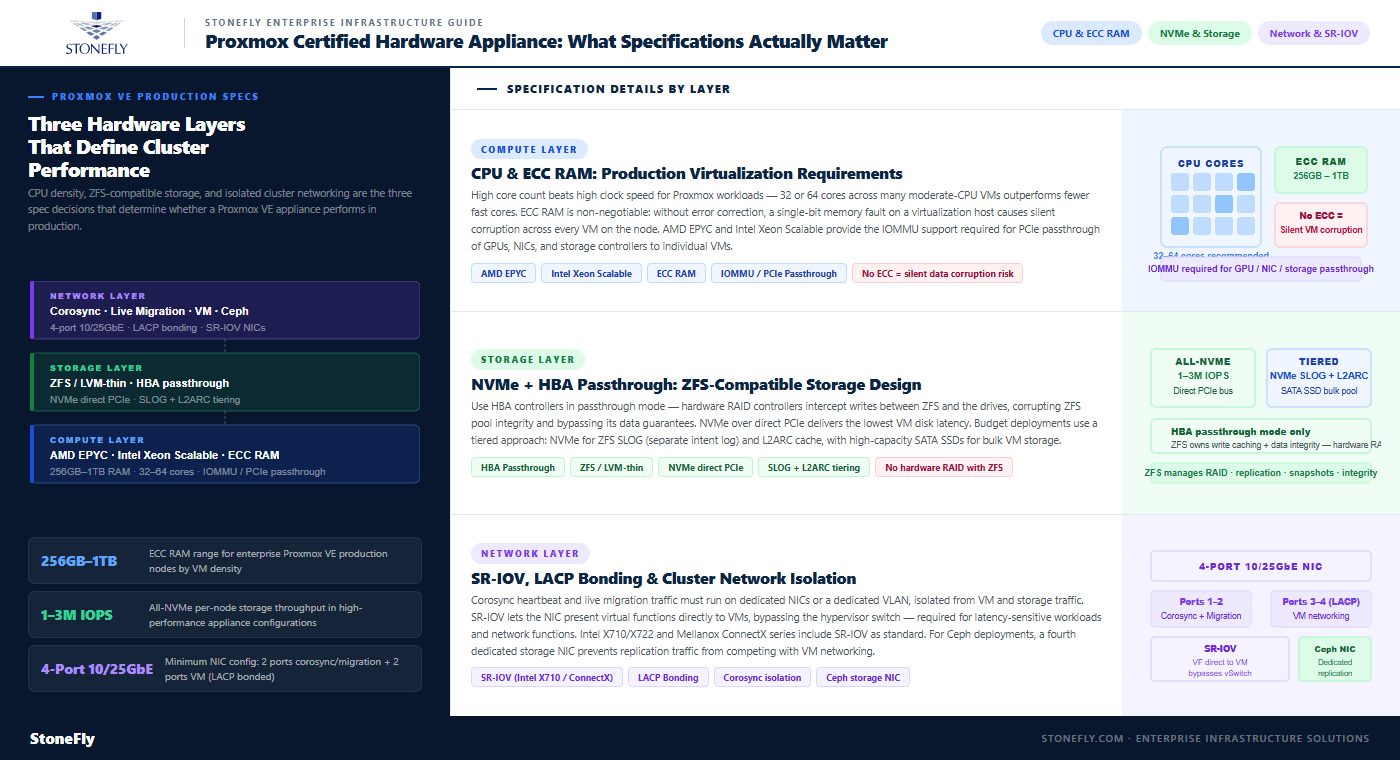
Proxmox VE’s overhead per running virtual machine is low, but cluster management, Ceph storage (if in use), and memory balloon driver overhead add up in high-VM-density environments. Enterprise Proxmox appliances should specify ECC (Error-Correcting Code) RAM — not optional for production virtualization hosts. ECC corrects single-bit memory errors silently; without ECC, memory corruption in a virtualization host can cause silent data corruption across all VMs running on that node, which is a failure mode that is difficult to detect and expensive to recover from.
For a Proxmox VE production node, 256GB to 1TB of RAM is the typical enterprise range depending on VM density. CPU selection should favor high core count over high clock speed for virtualization workloads — Proxmox schedules VMs across physical cores, and a workload profile of many moderate-CPU VMs benefits more from 32 or 64 cores than from fewer high-frequency cores. AMD EPYC and Intel Xeon Scalable are the standard choices in enterprise Proxmox appliances, both providing the IOMMU support required for PCIe passthrough (GPU, NIC, storage controller passthrough to VMs).
Proxmox VE uses ZFS or LVM-thin as the local storage backend for VM disk images, and the storage controller and drive selection directly determines VM disk I/O performance and reliability. Enterprise Proxmox appliances should use HBA (Host Bus Adapter) controllers in passthrough mode rather than RAID controllers with hardware caching — ZFS manages its own data integrity and write caching, and hardware RAID controllers that intercept writes between ZFS and the drives can corrupt the ZFS pool integrity and bypass ZFS’s data integrity guarantees.
NVMe drives connected directly to the PCIe bus (or via NVMe-capable HBAs) provide the lowest latency storage for Proxmox VM storage pools. For enterprise Proxmox appliances intended for high-performance workloads, all-NVMe storage configurations delivering 1-3 million IOPS per node are available. For budget-conscious enterprise deployments, tiered configurations — NVMe for the ZFS SLOG (separate intent log) and L2ARC cache, with high-capacity SATA SSDs for bulk VM storage — provide a cost-effective balance of performance and capacity.
Proxmox VE cluster communication — the corosync cluster heartbeat and live migration traffic — should run on dedicated NICs or a dedicated VLAN isolated from VM traffic and storage network traffic. Enterprise Proxmox appliances should include at minimum a 4-port 10/25GbE NIC configuration: two ports for corosync and live migration, two ports for VM networking (bonded with LACP for redundancy and bandwidth aggregation). For storage-intensive configurations with Ceph storage, a dedicated storage network interface is recommended to keep Ceph replication traffic from competing with VM traffic on the same NICs.
SR-IOV (Single Root I/O Virtualization) NIC support is required for workloads that need near-native network performance inside VMs — latency-sensitive applications, high-throughput networking, or VMs running network functions. SR-IOV enables the NIC to present multiple virtual functions directly to VMs, bypassing the hypervisor’s virtual switch and eliminating the software overhead of packet forwarding through the host. Not all NICs support SR-IOV; enterprise Proxmox appliances using Intel X710, X722, or Mellanox ConnectX series NICs include SR-IOV support as a standard specification.
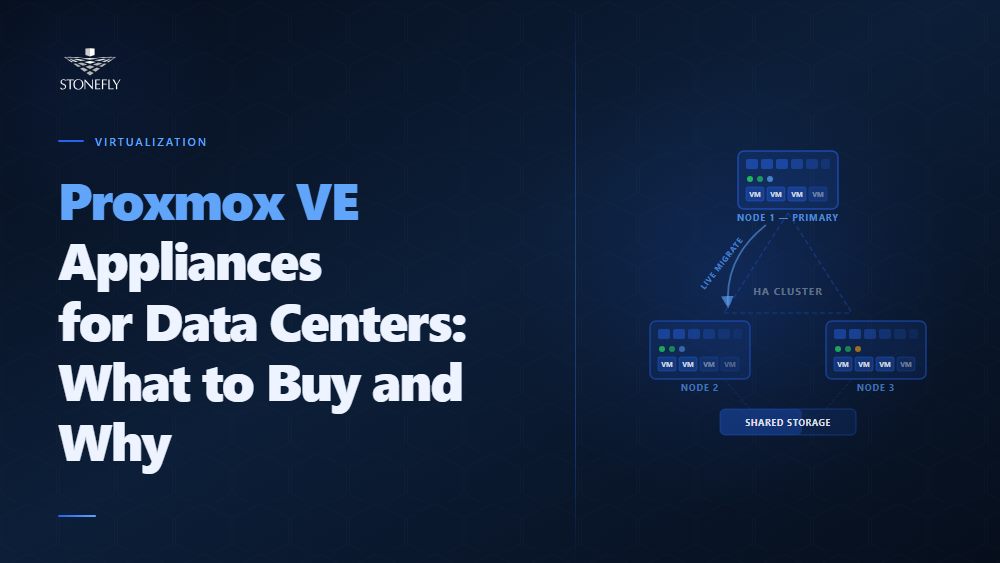
A Proxmox VE cluster requires a minimum of three nodes for quorum — the mechanism that prevents split-brain scenarios where two partitions of the cluster each believe they are the authoritative active cluster and begin making conflicting decisions about VM placement. Two-node Proxmox clusters require an external quorum device (a lightweight third system running the Proxmox corosync QDevice) to achieve quorum without three full nodes. For enterprise deployments, three-node clusters as the minimum configuration is the standard recommendation.
Hardware consistency across cluster nodes significantly simplifies operations. Live migration — moving running VMs from one cluster node to another without interruption — requires that the destination node’s CPU support the same instruction set as the source node, or that the VM is configured with a generic CPU type that is available on all nodes. Clusters built from matched hardware configurations (same CPU generation, same NIC model, same storage layout) support unrestricted live migration across all node pairs. Clusters built from mixed hardware generations require CPU type management that adds operational overhead and limits migration flexibility.
Enterprise Proxmox cluster appliances designed for high availability configure VMs with HA groups — definitions of which cluster nodes a VM is eligible to run on, and in what priority order. When a node fails, Proxmox HA fences the failed node (using IPMI or a configured fence agent) and restarts the failed node’s VMs on surviving nodes within the HA group, typically within 60-120 seconds of the failure detection. The fencing step is not optional — Proxmox requires confirmed fencing before restarting VMs to prevent a scenario where the failed node recovers partially and both the original and the restarted VM instance are running simultaneously with access to shared storage.
| Dimension | Proxmox VE Appliance | VMware vSphere Appliance |
| Licensing model | Open-source (free) + optional Enterprise subscription (~$1,100/socket/year) | Per-core licensing under Broadcom; significant cost increase post-acquisition |
| Hypervisor type | KVM (Type 1, Linux kernel-integrated) | ESXi (Type 1, proprietary) |
| Cluster management | Built-in pvecm + web UI; no separate vCenter equivalent required | Requires vCenter Server (additional license) for cluster management |
| Storage integration | ZFS local, Ceph distributed, NFS/iSCSI/RBD via storage plugins | VMFS, vSAN (additional license), NFS/iSCSI via vSphere storage APIs |
| VM compatibility | KVM VMs; can run VMware VMs via conversion (virt-v2v) | VMware VMs natively; migration to/from KVM requires conversion |
| Backup integration | Proxmox Backup Server (built-in); third-party agents for Veeam/others | Veeam, Commvault, and others via VADP (VMware vStorage APIs for Data Protection) |
| Enterprise support | Proxmox GmbH enterprise subscription; hardware vendor support (StoneFly) | Broadcom support (post-acquisition changes have increased cost and complexity) |
| Management ecosystem | Proxmox web UI, API, Terraform provider, Ansible modules | vSphere Client, vCenter API, NSX, Aria (formerly vRealize) suite |
The decision between Proxmox and VMware at the appliance level comes down to licensing economics and ecosystem dependency. For organizations that have built significant automation, operations tooling, and staff expertise around VMware — vCenter workflows, NSX network virtualization, vSphere APIs for backup — the switching cost is real and should be quantified before the licensing cost savings of Proxmox are treated as straightforward. For organizations standing up new virtualization infrastructure without legacy VMware investment, or for organizations whose VMware licensing costs have increased materially under Broadcom’s pricing model, Proxmox on certified hardware delivers enterprise-grade virtualization at a cost structure that makes comparison analysis straightforward.
Proxmox Backup Server (PBS) is a purpose-built backup solution for Proxmox VE environments, providing incremental backup, deduplication, and encryption for VMs and containers. PBS uses a chunk-based deduplication approach that significantly reduces backup storage consumption compared to traditional image-based backups — in typical VM environments, PBS deduplication ratios of 3:1 to 10:1 are common, depending on how similar the VM images are.
For enterprise Proxmox environments, the PBS storage node is a distinct server from the Proxmox VE cluster nodes, providing physical separation between the production compute environment and the backup repository. Physical separation matters for ransomware scenarios: if the Proxmox VE cluster is compromised, a backup repository that is network-accessible from the cluster is also a target. Immutable storage for the PBS repository — using ZFS send/receive to an immutable object storage target, or a storage platform that enforces write-once-read-many (WORM) policies at the storage layer — ensures that backup data cannot be encrypted or deleted by ransomware that has obtained cluster-level credentials.
The hardware specification for a Proxmox backup server storage node prioritizes storage density and sequential write throughput over the compute intensity that characterizes virtualization nodes. High-capacity SATA SSD or enterprise SAS HDD configurations, managed by PBS’s built-in datastore management, deliver cost-effective backup storage capacity. Deduplication in PBS is CPU-bound, so adequate CPU cores on the backup node prevent backup jobs from creating processing bottlenecks during backup windows. A 10/25GbE network connection between the PBS node and the Proxmox cluster nodes supports the data transfer rate needed for backup windows that fit within overnight maintenance schedules.
StoneFly’s Proxmox VE appliances are purpose-built hardware platforms that ship with Proxmox VE pre-installed, pre-configured, and validated for enterprise production environments. StoneFly’s Proxmox hardware bundles are designed to eliminate the compatibility and configuration variables that create reliability problems in self-assembled Proxmox deployments, delivering a single-vendor, turn-key platform for organizations deploying Proxmox VE at the data center scale.
StoneFly’s Proxmox VE appliances are available in configurations scaled for single-node deployments, three-node minimum HA clusters, and larger cluster configurations built for high VM density. Each appliance configuration specifies ECC RAM, enterprise NVMe or SAS storage, SR-IOV-capable NICs, and redundant power supplies as standard components — the hardware baseline that enterprise production environments require. StoneFly’s configuration includes pre-validated Proxmox VE Enterprise repository access, ensuring that cluster nodes receive timely security and feature updates through Proxmox’s enterprise update channel.
For organizations deploying Proxmox Backup Server alongside their Proxmox VE cluster, StoneFly offers dedicated PBS storage node configurations integrated with StoneFly’s immutable storage capabilities. The DR365V backup and DR appliance extends the Proxmox backup architecture with air-gapped, immutable repositories that protect backup data from the ransomware scenarios that networked PBS repositories are vulnerable to — providing the backup resilience that enterprise environments require without the operational complexity of managing a separate backup infrastructure stack.
StoneFly Proxmox VE appliance pricing reflects the enterprise hardware specifications and pre-configuration overhead. Contact StoneFly directly to discuss configuration options, cluster sizing, and pricing for specific workload requirements and deployment scales.
Proxmox VE’s open-source licensing and KVM foundation make it a financially and technically compelling alternative to VMware for enterprise virtualization. The platform is stable, actively developed, and increasingly supported by enterprise backup vendors and infrastructure automation tooling. The limiting factor in enterprise Proxmox deployments is almost never the hypervisor — it is the hardware underneath it.
Commodity hardware running Proxmox without proper ECC RAM, enterprise storage controllers, SR-IOV NICs, and validated driver compatibility introduces failure modes that the platform itself cannot compensate for. Enterprise Proxmox appliances that ship with pre-validated hardware eliminate those variables, accelerate deployment timelines, provide a single support relationship for hardware and hypervisor integration, and allow the IT team to focus on workload migration rather than hardware compatibility debugging.
For organizations migrating from VMware, evaluating Proxmox for new infrastructure builds, or expanding existing Proxmox deployments to additional data center sites, starting with certified appliance hardware is the decision that separates successful enterprise deployments from the ones that require significant remediation work after go-live.
Contact StoneFly to discuss Proxmox VE appliance configurations, cluster sizing, backup node design, and immutable storage integration for your data center environment.








Join our mailing list to receive the latest news, updates, and promotions from StoneFly.






