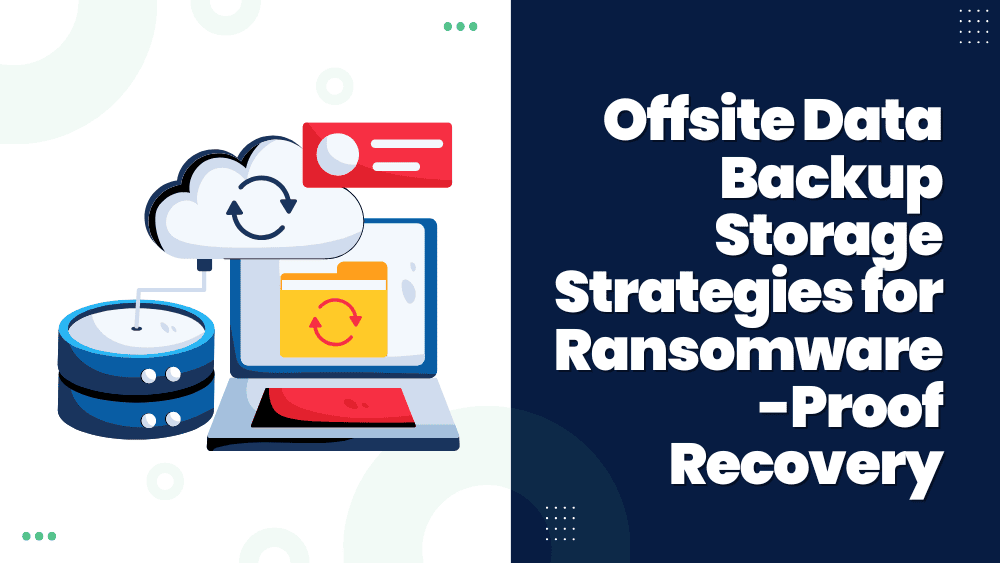
Offsite data backup is the foundation of a secure and resilient data protection strategy. Unlike local backups, which are stored within the same infrastructure as production systems, offsite backups replicate and store backup data offsite in remote locations. These locations can include offsite cloud backup solutions, offsite server backup infrastructure, or dedicated off site storage of backups.
The role of offsite backup for business has grown significantly as organizations face increasingly complex threats such as ransomware, data corruption, and site-wide outages caused by fire, flooding, or hardware failure. By maintaining backup copies in a physically separate and secure environment, enterprises ensure that critical information remains recoverable even if the primary site is compromised.
Modern enterprises rely on secure offsite backup strategies that combine encryption, automated replication, and immutable storage to meet compliance requirements and strengthen disaster recovery capabilities. Offsite data backup storage and disaster recovery are now inseparable, forming the backbone of continuity planning for IT managers, system administrators, and DevOps teams tasked with safeguarding business operations.
How Offsite Data Backup Works in Enterprise Environments
Offsite data backup works by replicating business-critical information from production systems to a secure, geographically separate location. This can be achieved through offsite cloud backup solutions, offsite server backup deployments, or physical off site storage of backups such as tapes and disk appliances. The primary objective is to ensure data remains protected and recoverable even if the primary infrastructure experiences failure, ransomware infection, or physical disaster.
In a typical workflow, backup agents or snapshot-based tools capture data from servers, databases, and applications. That backup data is then encrypted in transit and replicated to the chosen offsite storage backup platform. Once stored, backup jobs are verified for consistency, ensuring integrity before being marked as complete.
For enterprises leveraging offsite online backup, replication often integrates directly with AWS-compatible S3 object storage or other cloud endpoints. These environments support policies for scheduling, versioning, and immutability, enabling DevOps and IT managers to enforce strict retention requirements.
Organizations that prefer offsite server backup often deploy secondary appliances in remote data centers. This approach provides full control of hardware, network, and recovery processes while still achieving offsite data backup storage and disaster recovery integration. Some combine local and remote storage into hybrid workflows, where recent restore points remain onsite for fast recovery, while long-term immutable copies are maintained offsite.
How Offsite Backups Add Resilience Beyond Onsite Storage
Offsite backups complement onsite strategies by adding an additional layer of protection and flexibility. While onsite storage offers fast recovery for day-to-day incidents, offsite data backup ensures continuity when primary environments are compromised.
One key advantage is resilience against localized events. A power outage, hardware failure, or fire may render onsite systems unusable, but off site storage of backups ensures that recovery copies remain unaffected. By distributing backup data across locations, enterprises reduce the likelihood of a single failure impacting both production and backup infrastructure.
Another advantage is protection from ransomware and insider threats. Secure offsite backup platforms often incorporate immutability and air-gapped storage, preventing unauthorized modification or deletion of data. Even if attackers gain access to production systems, offsite server backup copies remain isolated and recoverable.
Compliance and long-term retention requirements often mandate that data be preserved in controlled environments outside the production infrastructure. Offsite data backup storage and disaster recovery solutions make it easier to meet these obligations by providing secure retention, auditing, and recovery options that integrate with enterprise workflows.
How Offsite Cloud Backup Solutions Deliver Flexibility and Scale
Offsite cloud backup solutions have become a core component of enterprise data protection strategies. Instead of relying solely on local or offsite server backup systems, enterprises use offsite online backup to replicate workloads into cloud platforms designed for durability and availability. This approach provides advantages that extend beyond traditional off site storage of backups, including scalability, automation, and simplified disaster recovery integration.
How Offsite Cloud Backup Works in Enterprise Environments
In most deployments, backup agents or snapshot-based tools capture data from production servers, databases, and applications. That data is encrypted in transit and securely transmitted to an offsite storage backup target such as AWS-compatible S3 object storage. Once ingested, cloud-based backup systems apply versioning, retention policies, and immutability rules to safeguard data against modification or deletion.
Offsite cloud backup solutions support flexible policies that allow IT managers to define schedules ranging from hourly to monthly, ensuring that recovery point objectives (RPOs) are aligned with business requirements. Recovery time objectives (RTOs) are also optimized, as organizations can restore data directly from offsite cloud backup storage to alternate locations or cloud-native infrastructure.
Another advantage is elasticity. Unlike offsite server backup appliances that require upfront capacity planning, offsite cloud backup can expand dynamically. This scalability allows enterprises to meet growing storage demands without additional hardware purchases, while maintaining predictable costs through tiered storage models.
Compliance frameworks such as HIPAA, GDPR, and SOX increasingly recognize cloud platforms as valid repositories for offsite data backup storage and disaster recovery. Providers enforce security controls such as encryption, auditing, and access logging, enabling enterprises to meet regulatory obligations while maintaining operational efficiency.
Why Offsite Server Backup and Physical Storage Remain Essential
While cloud adoption is widespread, many enterprises continue to rely on offsite server backup and physical media storage to protect critical workloads. These methods provide complete control over infrastructure and recovery workflows, making them valuable for organizations with strict regulatory requirements, specialized workloads, or air-gapped storage needs.
How Enterprises Use Offsite Server Backup and Physical Storage
In an offsite server backup model, secondary appliances replicate production data to remote data centers. These systems often mirror the configuration of onsite infrastructure, allowing for fast failover in the event of site-wide failure. Replication occurs over secure connections, with encryption protecting backup data in transit and at rest. This ensures that even geographically distant storage maintains compliance with industry regulations.
Physical off site storage of backups, such as tape libraries or disk-based appliances, continues to play an important role in long-term data retention. Tape remains cost-effective for archiving large volumes of data that must be preserved for years, while disk-based appliances enable faster recovery for mid-term retention needs. By storing these backups in secure facilities, enterprises create an isolated recovery layer separate from their production environment.
The greatest advantage of offsite server backup and physical storage is the ability to integrate air-gapped backup strategies. Air-gapped systems remain physically or logically disconnected from production networks when not in use, eliminating exposure to ransomware and insider threats. Combined with immutability, this approach ensures backup copies cannot be modified or deleted, even in the event of a compromised primary site.
Hybrid strategies often combine these approaches with cloud-based solutions. For example, enterprises may keep frequently accessed recovery points in cloud storage for agility, while maintaining long-term immutable archives in off site storage of backups. This layered model balances recovery speed, cost efficiency, and long-term security.
How Offsite Data Backup Storage Powers Disaster Recovery
Offsite data backup storage is most effective when integrated directly into disaster recovery planning. Enterprises do not simply maintain copies of data for compliance or long-term retention—they rely on offsite disaster recovery solutions to restore operations quickly after ransomware, data corruption, or infrastructure loss.
Recovery Workflows That Depend on Offsite Backups
In a typical disaster recovery scenario, production systems are restored using offsite server backup or offsite cloud backup repositories. Immutable snapshots provide recovery points that cannot be altered or deleted, guaranteeing the availability of clean copies even if the original environment has been compromised. Restores can be directed to physical servers, virtual machines, or cloud-native platforms, depending on business continuity requirements.
For enterprises leveraging offsite online backup, cloud integration accelerates recovery by allowing workloads to spin up in alternate environments. This enables organizations to continue operations while production infrastructure is repaired. In contrast, physical off site storage of backups—such as tape or disk—may require additional time for retrieval, but provides reliable, low-cost retention for compliance-driven recovery needs.
Enterprises seeking stronger resilience combine secure offsite backup with orchestration platforms that automate recovery sequences. These systems integrate with backup repositories to execute predefined workflows: validating integrity, initiating restores, and redirecting user access to recovery environments. By aligning offsite data backup storage with disaster recovery processes, IT managers and DevOps teams minimize downtime and data loss during outages.
When paired with air-gapped and immutable backups, offsite disaster recovery solutions deliver the highest level of security. Even if ransomware encrypts production and local backups, isolated offsite air-gapped and immutable copies provide a reliable path to recovery.
Why Air-Gapped and Immutable Backups Define the Future
Enterprises are increasingly turning to air-gapped and immutable backups as the foundation of secure offsite backup strategies. Traditional offsite backups, whether cloud-based or server-based, protect against localized outages but remain vulnerable to ransomware and insider threats if continuously connected to production networks. Air-gapped backup architectures eliminate this risk by ensuring that backup data remains disconnected and inaccessible when not in use.
How Air-Gapped and Immutable Backups Work
Air-gapped backups rely on isolation—either physical or logical—to separate offsite storage backup systems from production infrastructure. Physical air-gapping may involve removable media stored in a secure facility, while logical air-gapping leverages automated controls to disconnect backup appliances from the network until replication or recovery is required. In both cases, backup data remains inaccessible to attackers attempting to breach production systems.
Immutability complements this isolation by ensuring that backup data, once written, cannot be modified or deleted. Using WORM (Write Once, Read Many) storage and snapshot retention policies, immutable offsite server backup or cloud repositories preserve exact copies of data for defined periods of time. This guarantees that recovery points remain intact, even in the face of ransomware encryption or malicious deletion attempts.
StoneFly addresses these challenges with its patented Air-Gapped Vault®, built on StoneFly’s patented storage virtualization engine that can be deployed on bare-metal, as a VM on enterprise hypervisors, or in the cloud. By combining automated air-gap controls with immutability, Air-Gapped Vault® ensures enterprises maintain untouchable recovery points across on-premises and cloud environments. This design guarantees ransomware-proof backup targets while integrating seamlessly into enterprise disaster recovery workflows.
Conclusion
Offsite data backup enables enterprises to safeguard business-critical information against system failure, ransomware, and site-wide outages. Whether through offsite cloud backup, offsite server backup, or hybrid strategies, separating recovery points from production systems strengthens continuity and compliance.
The addition of air-gapped and immutable storage further guarantees that backup data remains reliable and tamper-proof. With solutions such as StoneFly’s patented Air-Gapped Vault, organizations gain a proven way to secure recovery points across on-premises and cloud environments, ensuring business operations can withstand even the most disruptive events.
Looking for ransomware-proof offsite backup storage? Contact our experts to discuss your projects today.